Meltdown Vulnerability Simulation
Published:
I have implemented a simple simulation for the Meltdown vulnerability as part of the assignment for COSC 6385 course at the University of Houston.
How the Attack Works
Meltdown exploits a race condition between memory access and privilege level checking while an instruction is being processed. Meltdown attacks allow access to parts of memory used by the operating system or other running processes. Generally, one process is not permitted to access the memory of another running process. But in a Meltdown attack, one process tries to access another process’s contents. The operating system (OS) has a permission setting that ensures users are not allowed to access kernel memory in user mode. If a user tries to access memory from the kernel address space, it will result in a page fault. However, due to speculative execution, the process will execute some instructions ahead of the page-faulting instruction and then roll back after the CPU has determined the permission setting. These speculative executions are still available in the cache, and attackers use various OS functionalities to dump this data from the cache. Based on this, the Meltdown attack works 1,2,3.
Demonstration
- Oracle Virtual Box : Version 6.1.18 r142142 (Qt5.6.3)
- Ubuntu 14.04.06 LTS
- Kernel Version: 4.4.0-142-generic
I first cloned the meltdown demo repository from GitHub and tried the following demonstrations included in the repository.
Demonstrations of Meltdown Attack
- Demo #01 - A first test (
test) - Demo #02 - Breaking KASLR (
kaslr) - Demo #03 - Reliability test (
reliability) - Demo #04 - Read physical memory (
physical_reader) - Demo #05 - Dump the memory (
memdump)
Demo #01 - A first test (test)
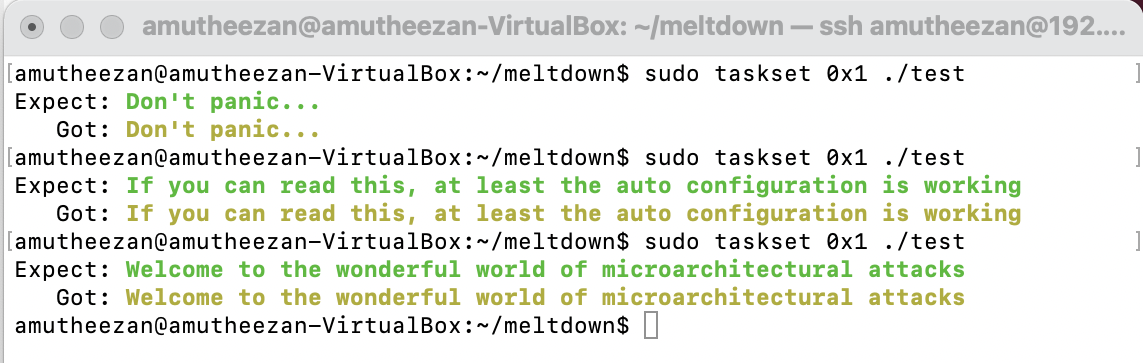
I executed the basic test case for the meltdown demo. I was able to get the expected output and also tried calling the same command multiple times, which returns random text in each run. (The randomization of text is based on line 26 of test.c.)
Commands
make;
sudo taskset 0x1 ./test
Screenshot
Demo #02 - Breaking KASLR (kaslr)
This demo uses Meltdown to leak the secret base address of the direct physical map. To get the offset quickly, the commands must be executed with admin privileges. Note that I used Ubuntu 14.04, which has KASLR disabled by default.
Commands
make;
sudo taskset 0x1 ./kaslr
Screenshot

Demo #03 - Reliability test (reliability)
This demo tests how physical memory can be read. Note that I used Ubuntu 14.04, which has KASLR disabled by default. So I was technically not required to specify the offset value 0xffff8a6b80000000.
Commands
make;
sudo taskset 0x1 ./reliability 0xffff8a6b80000000
Screenshot

Issues Faced
Unlike the demonstration shown in the GitHub repository 2, I was unable to get high reliability, and always obtained a reliability of less than 1\%. I also tried similar commands with Ubuntu 14.10, but faced the same issues there as well.
Demo #04 - Read physical memory (physical_reader)
This demo reads memory from another process by directly reading physical memory. It contains two steps:
Steps and Commands
- Call
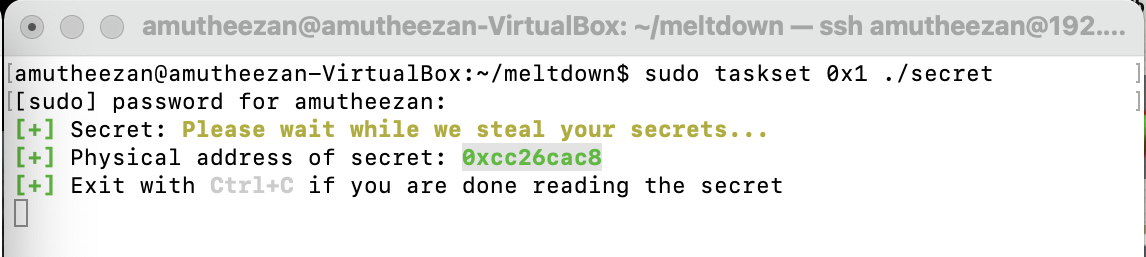
secretwith admin privileges. This returns the physical address of the test secret.
sudo ./secret
- Call
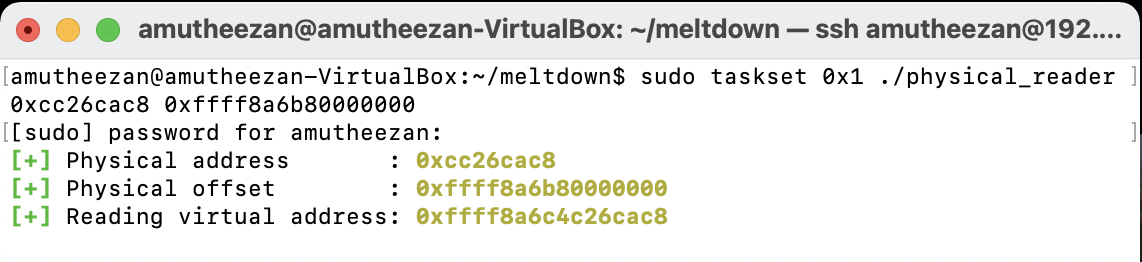
physical_readerwith the specified physical address of the secret text and the offset.
    make;
    sudo taskset 0x1 ./physical_reader 0xcc26cac8 0xffff8a6b80000000
I used Ubuntu 14.04, which has KASLR disabled by default. When KASLR is disabled, the offset parameter can be omitted.
Screenshots
Issues Faced
Unlike the demonstration shown in the GitHub repository 2, I was unable to read the contents of the secret. I also tried similar commands with Ubuntu 14.10, but faced the same issues there as well.
Demo #05 - Dump the memory (memdump)
This demo dumps the contents of memory. I set the memory size to 8 GB as RAM for the virtual machine. This demo contains two steps:
Steps and Commands
- Call
memory_fillerwith a memory value specified to fill the memory.
sudo ./memory_filler 9
- Call
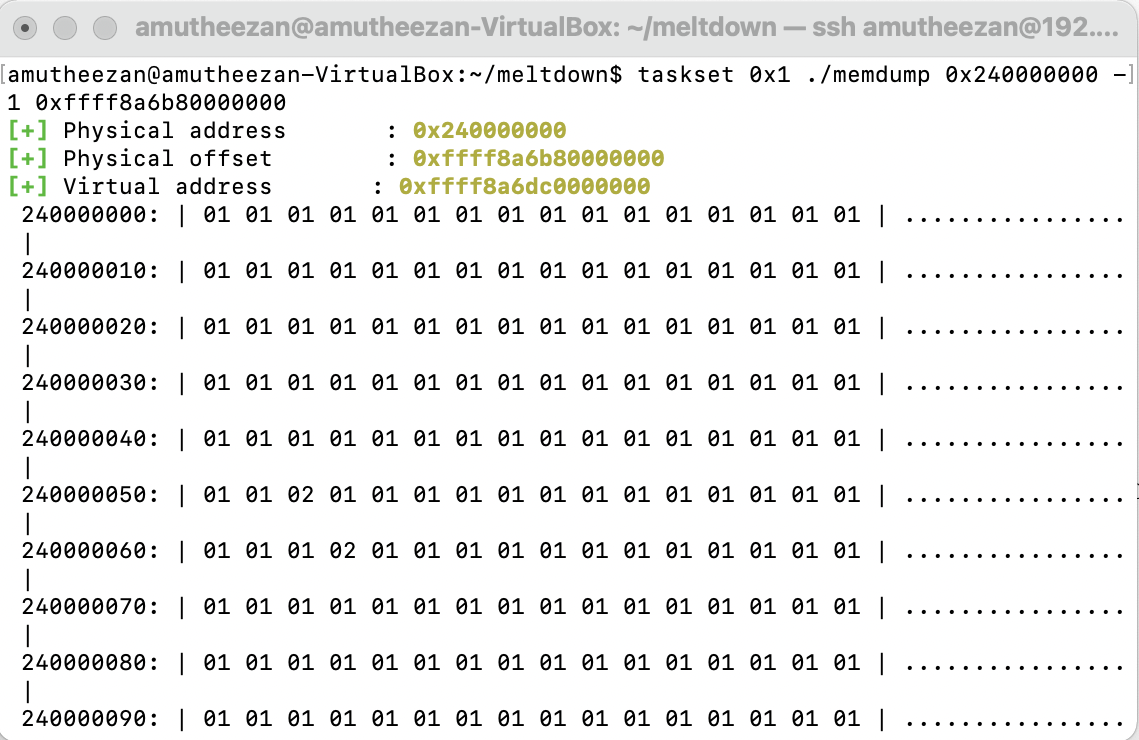
memdumpto read the contents from memory.
    make;
    taskset 0x1 ./memdump 0x240000000 -1 0xffff8a6b80000000
Issues Faced
Unlike the demonstration shown in the GitHub repository 2, I was unable to get any meaningful human-readable data. I also tried similar commands with Ubuntu 14.10, but faced the same issues there as well.
Screenshots

How to Fix
Software
For software-level protection, we can use patches for Linux, Windows, and OS X. Kernel page-table isolation (KPTI) (formerly referenced as KAISER) is a Linux kernel feature that protects the system from the Meltdown security vulnerability, affecting mainly Intel’s x86 CPUs. It improves kernel hardening against attempts to bypass KASLR [1,2].
Hardware
For hardware-level protection, a hard split between user space and kernel space must be introduced. This can be enabled optionally by modern kernels using the newly introduced hard-split bit in the CPU control register (e.g., CR4). By setting this control bit, user space and kernel space can reside in different areas of the address space. This hard-split can determine whether a memory fetch violates the security boundary with the help of the virtual address.
Note: Spectre attack simulation can be found in the post.